
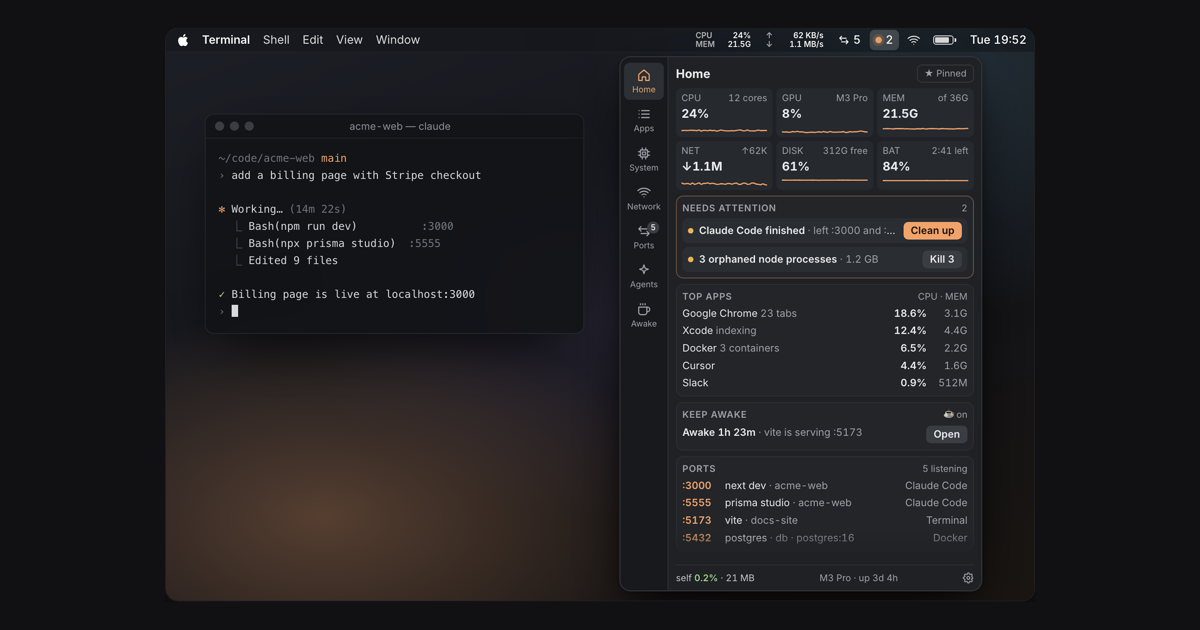
“Port 3000 is already in use. Again.”
Stat SpaceEvery port traced to its project and the terminal, editor or agent that started it. One click to stop it.
The menu bar monitor developers keep open, IT can trust, and finance pays for once. Pro for the whole team at $8 a seat, no subscription.
200+ developers already use it · 0.2% CPU · 21 MB
“Port 3000 is already in use. Again.”
Stat SpaceEvery port traced to its project and the terminal, editor or agent that started it. One click to stop it.
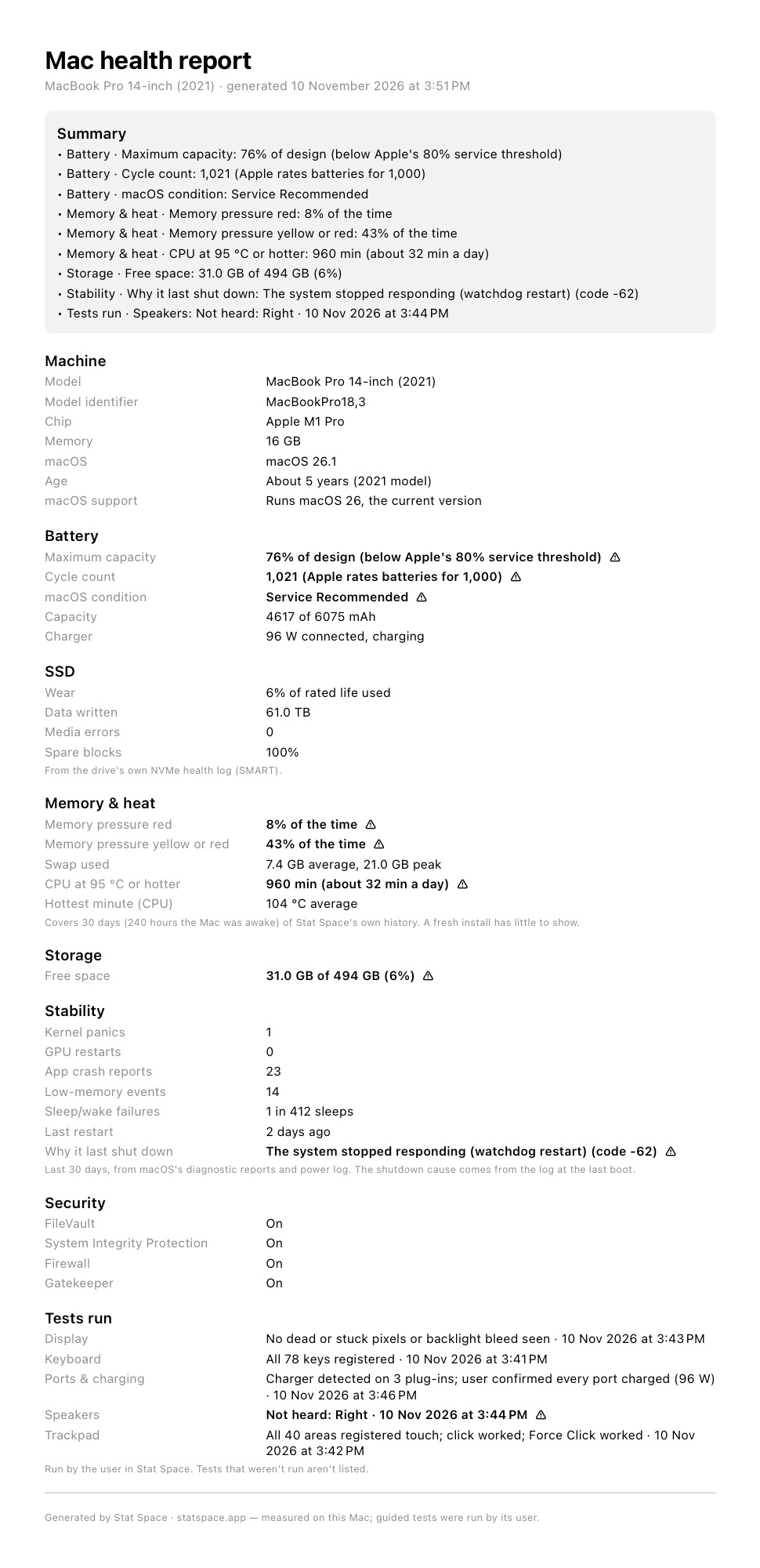
“My Mac feels slow. Can I get a new one?”
Stat SpaceA health report with battery, SSD wear, crashes and heat, measured against Apple’s own limits.
“Not another per-seat subscription.”
Stat Space$8 a seat, paid once. One checkout, one invoice, nothing to renew.
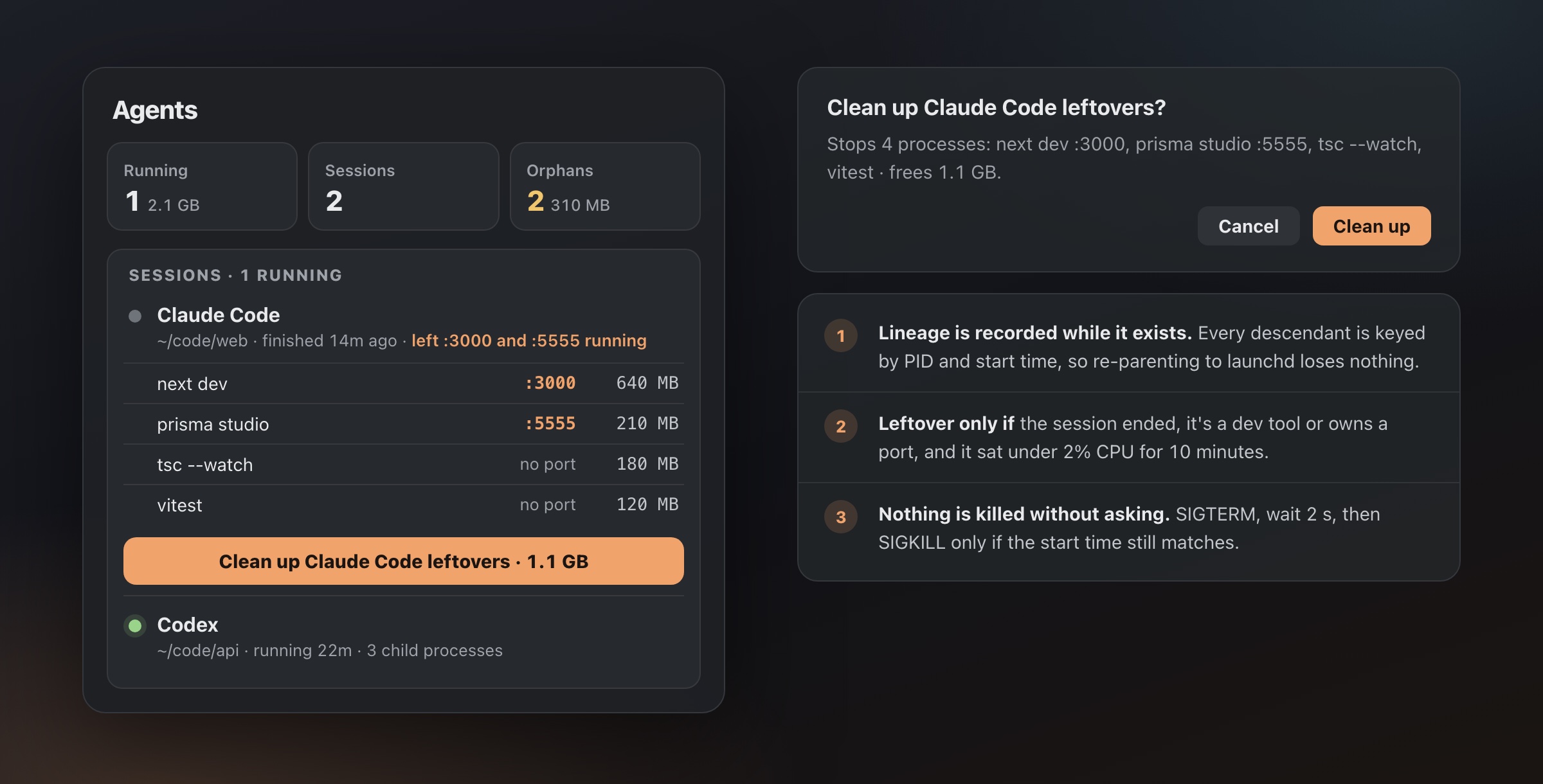
The questions that eat ten minutes at a time, answered from the menu bar.
statspace CLI and an MCP server for scripts and agents.Anyone can make a Mac health report in about 10 seconds and attach the PDF to a ticket.
That’s $8 per person, once. No renewal date, nothing to cancel when someone leaves.
One checkout for every seat, one invoice to expense, and a key for each person.
No servers, no accounts, no admin console to learn.
One checkout for the whole team, 5 seats or more.
Add each person in the Polar customer portal.
They claim the seat, download Stat Space and paste their key.
$8/ seat · one-time
5 seats minimum. Each person gets their own key for up to 3 Macs.
Buy team seatsPowered by Polar · one invoice · refundable within 14 days
Every seat gets Pro:
Everything else, including the health report, is free for everyone.
No. Most of Stat Space is free with no account: the menu bar, ports, agents, keep-awake, the health report, the CLI and MCP. Team seats are for when people want Pro and you’d rather buy once than reimburse ten receipts.
After checkout you assign seats by email in the Polar customer portal. Each person claims their seat and gets their own license key, which they paste into Stat Space › Settings › License. A key works on up to 3 of that person’s Macs.
It’s a standard Developer ID-signed, notarized app in a DMG, so it installs like any other direct-download Mac app. It needs Apple Silicon and macOS 14 or later. There’s no managed configuration profile yet; email us if you need one.
No. There’s no analytics or account. The app checks for updates, looks up the public IP for the Network tab, and checks the license with Polar. The full list is on statspace.app/security.
Buy Pro individually at the regular price. Same app, same features.
Email [email protected] with the number of seats and we’ll sort it out.